
Cider for Android
BetaCider in your pocket
Apple Music on your Android phone, with the lyrics, look, and integrations you know from Cider on your computer.
- Requires
- Android 10 (API 29) and above
- Access
- Beta for pre-orders and supporters
- You need
- An Apple Music subscription
- Also on
- Meta Quest & Steam Frame
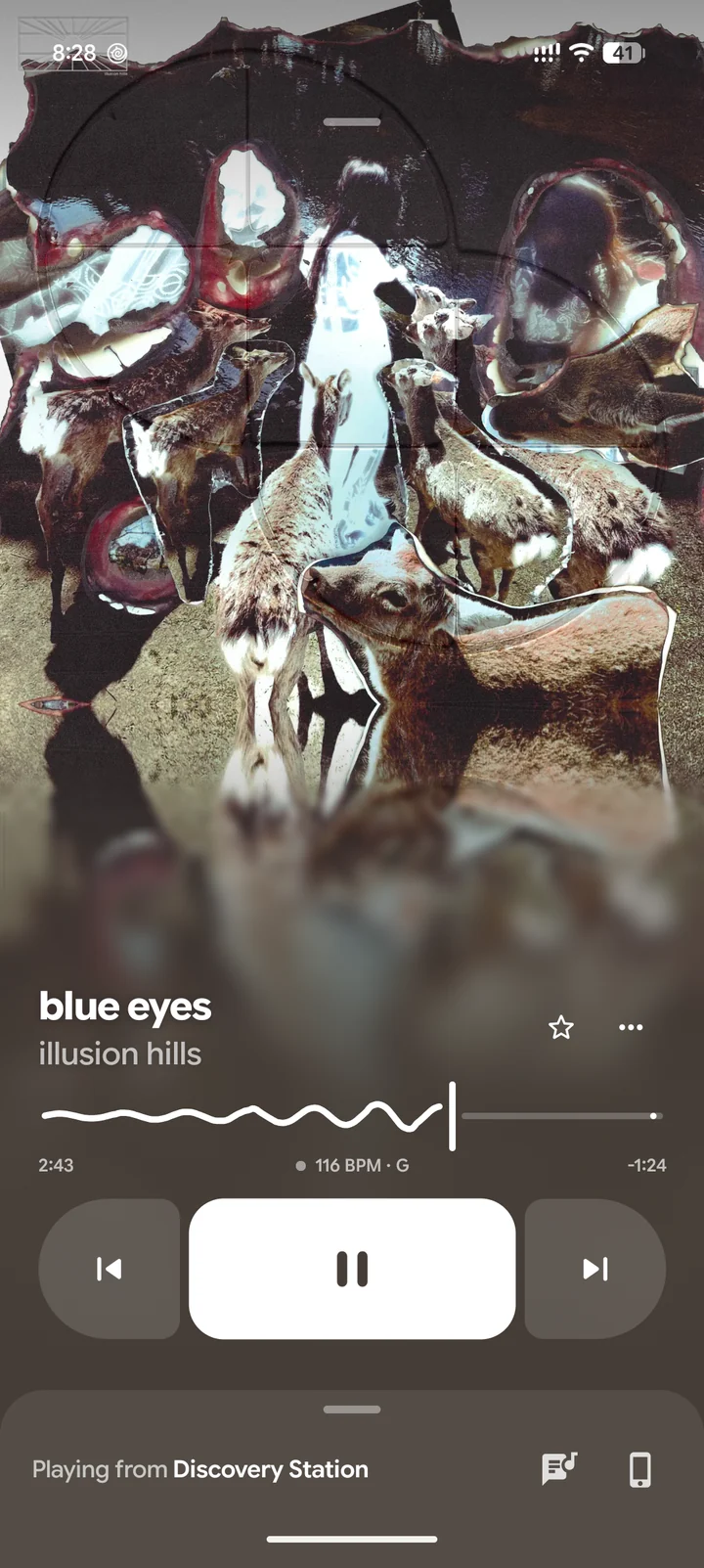
Lyrics
Word-by-word and line-synced lyrics from Apple Music, Musixmatch, and more, with translations.
Cider Connect
Scan a QR code to pair with Cider on your computer. Control it from your phone, or move playback between the two.
Discord and Last.fm
Show what you're listening to on Discord, and scrobble every track to Last.fm.
Made for Android
Built natively, with Material You colors, light and dark themes, and a sidebar layout on tablets.
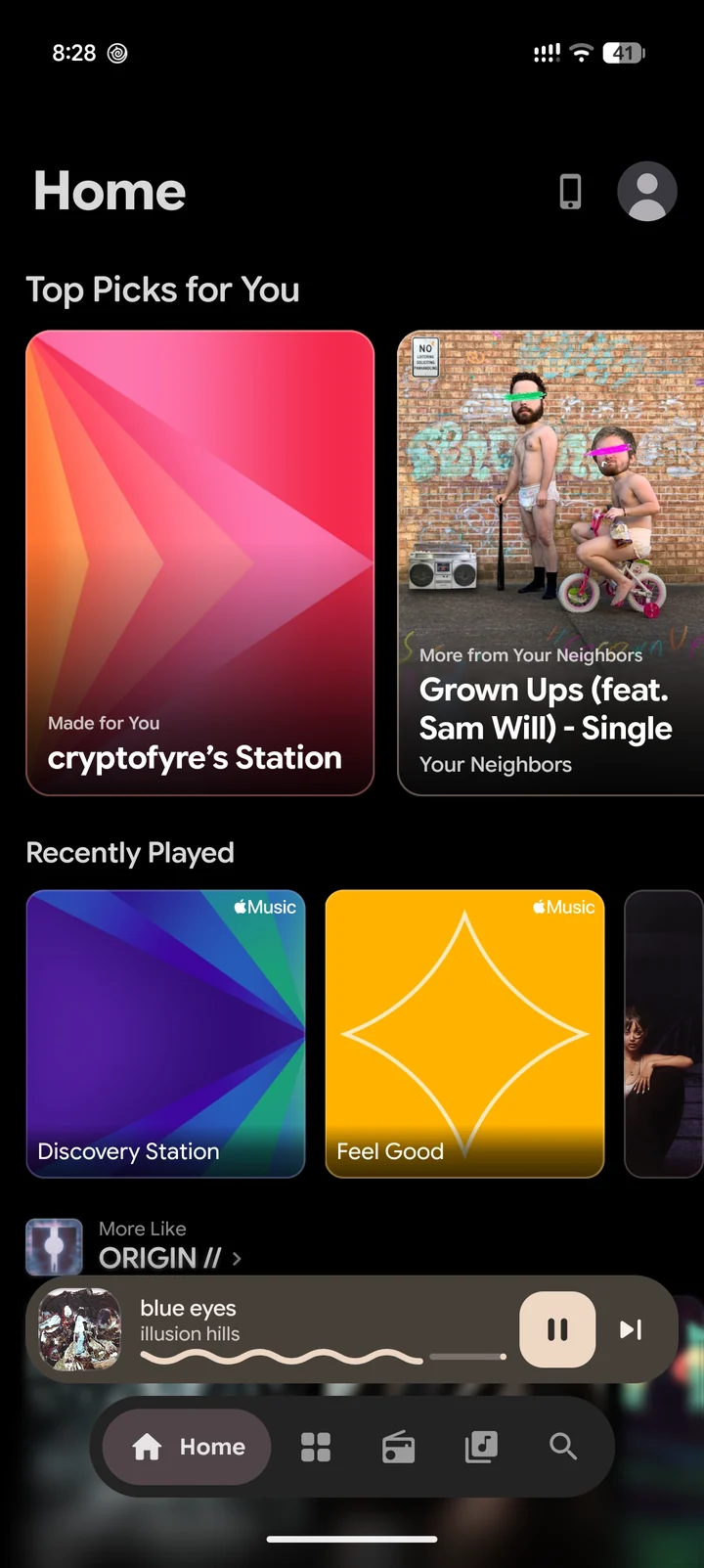
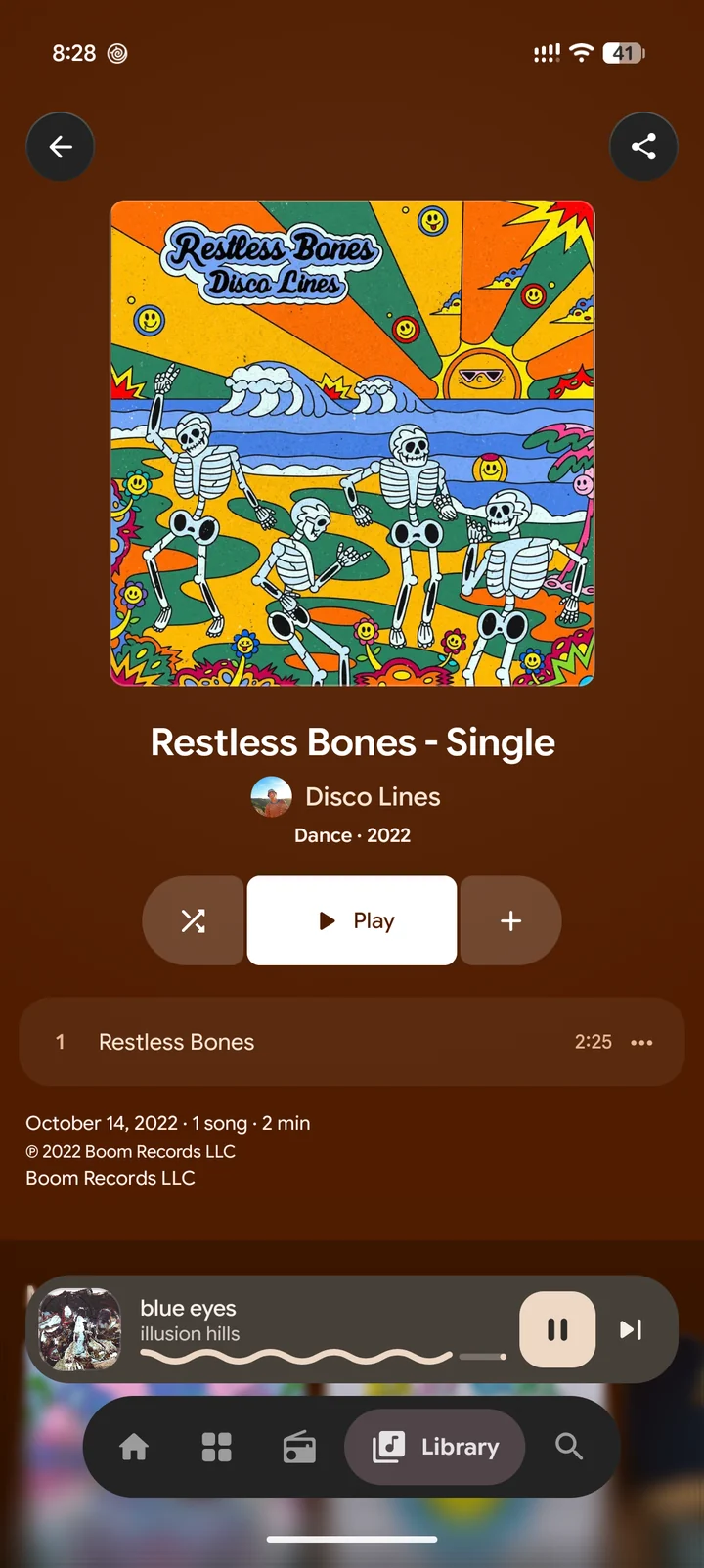
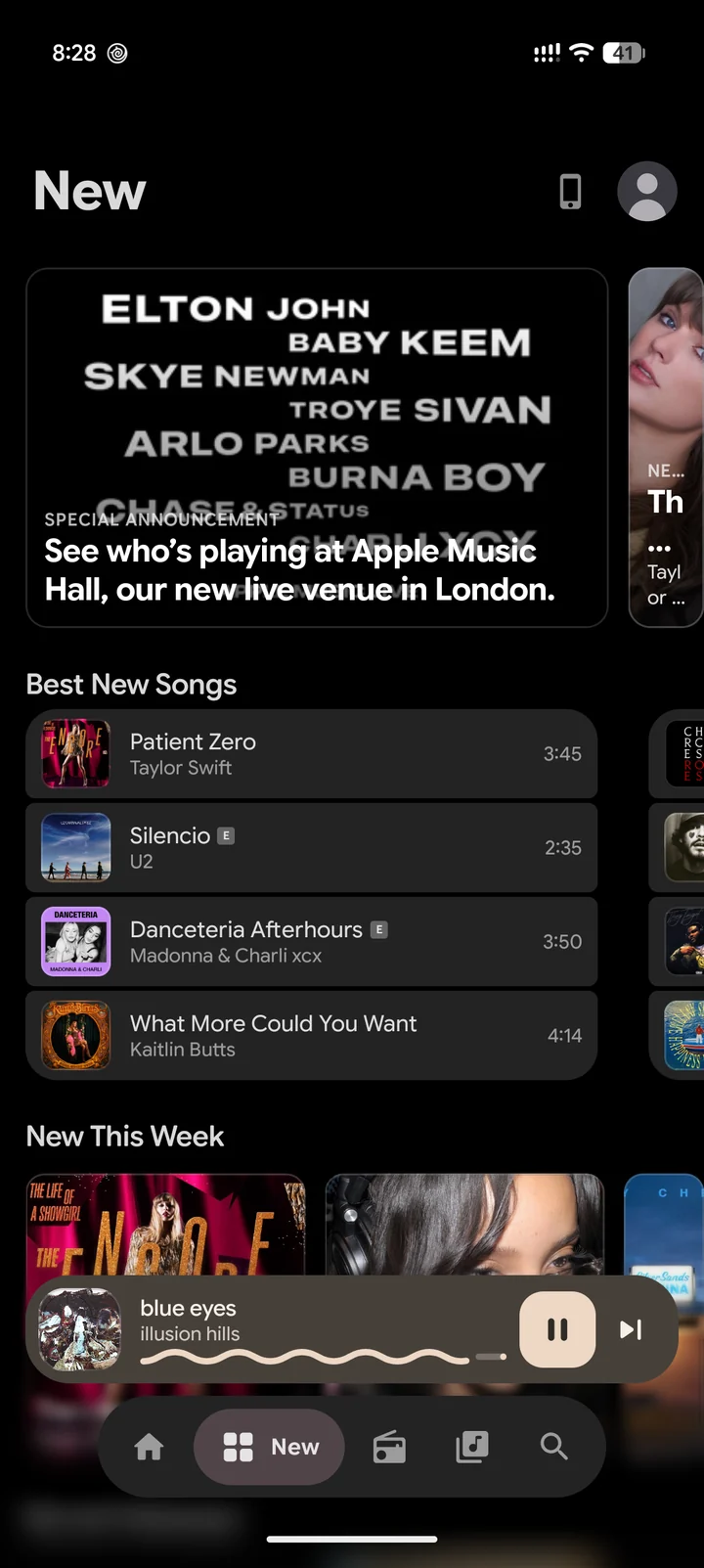
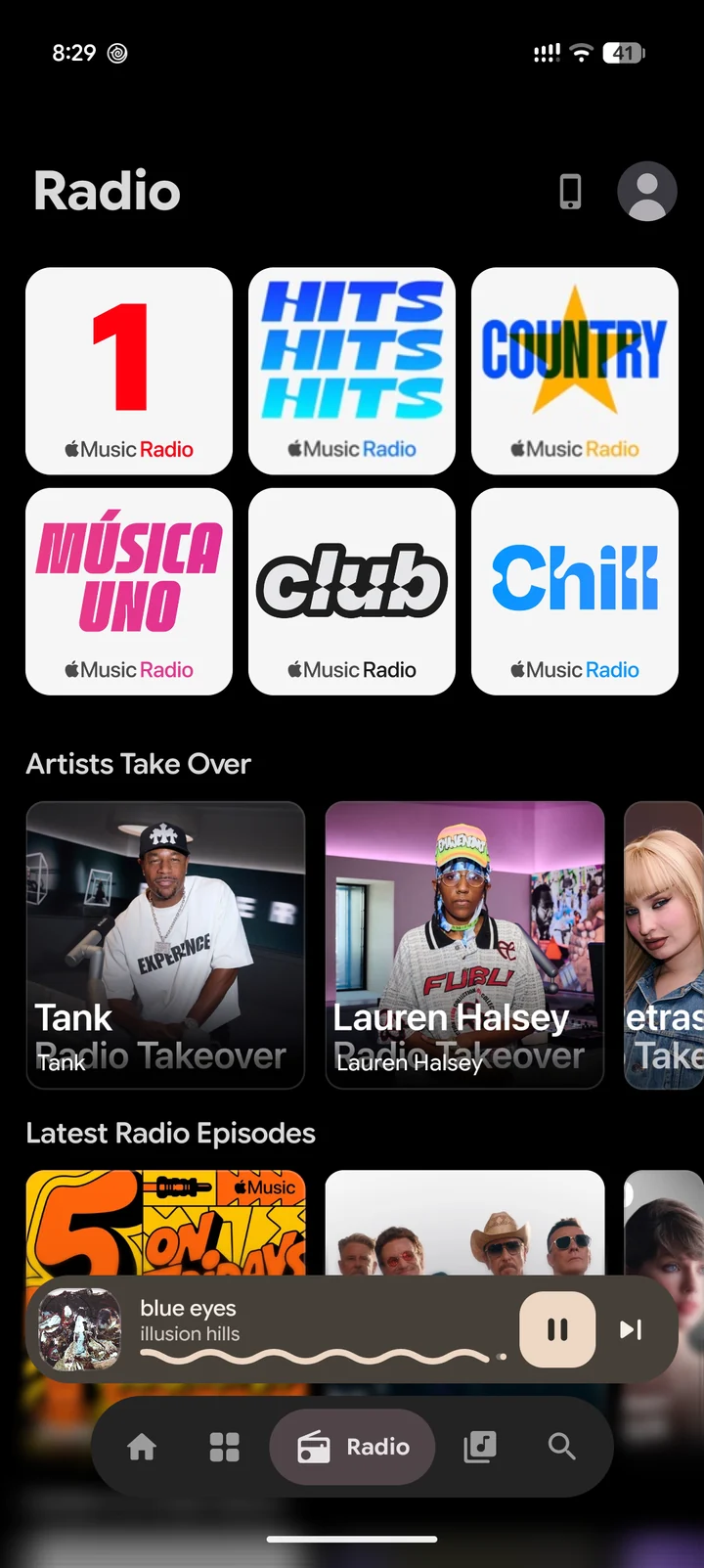
Everything in one app
Home, Browse, and Search
Your personal picks, recently played, and the full Apple Music catalog.
Your library
Your playlists, artists, albums, and songs. Add music, favorite tracks, or ask for less of something.
Radio
Apple Music radio stations, live and on demand.
Queue
Swipe a track to play it next or later. Shuffle and repeat work the way you'd expect.
Smooth playback
Crossfade, gapless playback, and Sound Check to keep the volume even between songs.
Motion artwork
Animated album covers, and a player that pulses along with the beat.
Concerts
Browse upcoming concerts, with shows near you if you choose to share your location.
Gestures
Drag up to open the player, swipe sideways to skip, and pull up to see what's next. Cider shows you each one the first time.
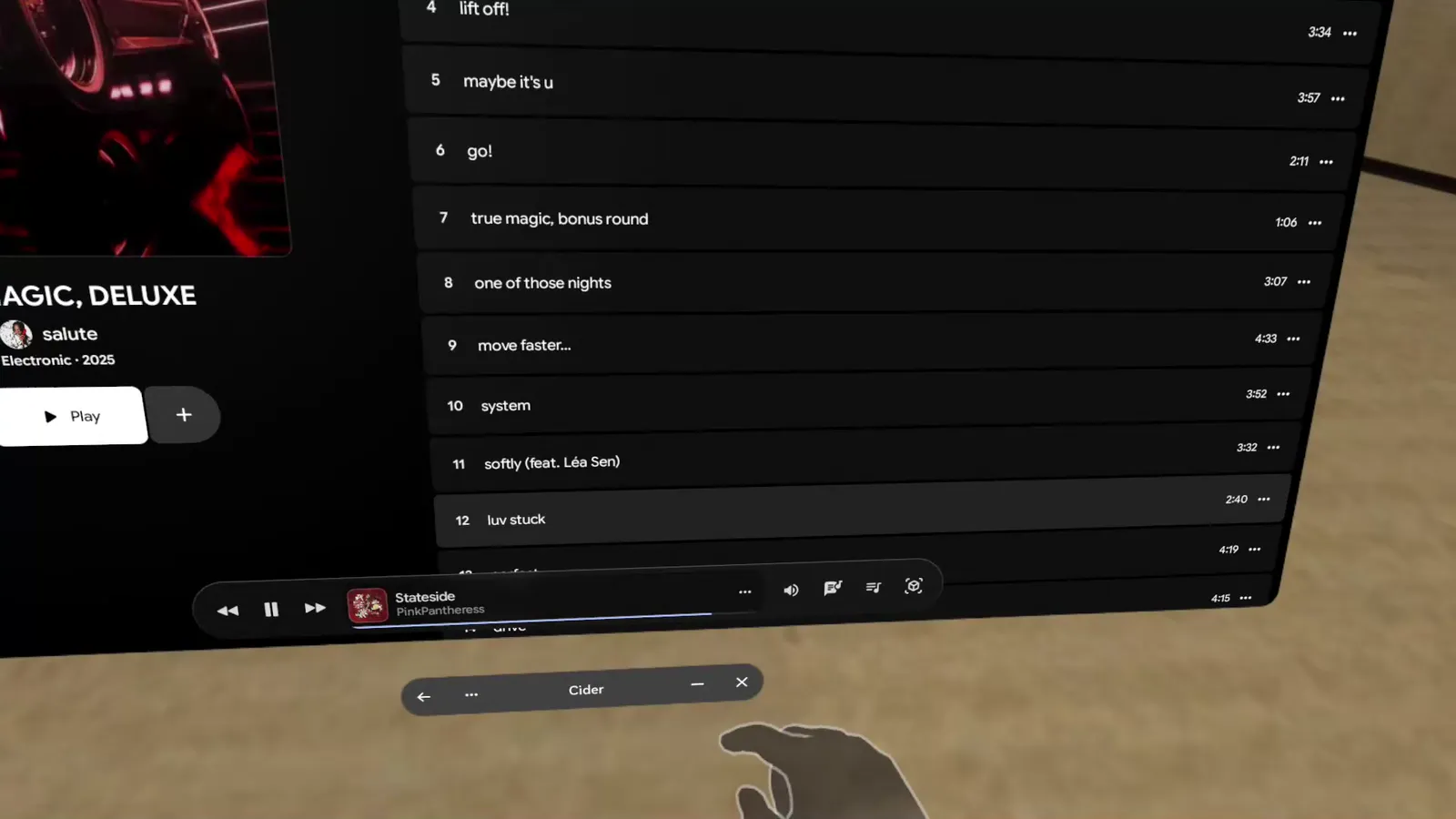
Also on Meta Quest & Steam Frame
On Quest and Frame, Cider opens as a panel you can resize, with the player floating along the bottom.
Windows you can place
Lyrics and Playing Next open in windows of their own. Put them anywhere and resize them.
Immersive mode
Switch it on from inside the app and Cider lays its panels out around your room over passthrough. Grab them to move them together.
Supported headsets
Quest 2, Quest Pro, Quest 3, and Quest 3S, plus Steam Frame. Immersive mode needs the VR build of the app.
Join the beta
Cider for Android is in beta while we finish it. Pre-order it on Taproom and you can use it today, and Cider supporters get in too. You sign in with your Taproom account, and new builds arrive right inside the app.
It's early: some features are still missing, and tablets and foldables aren't polished yet. Their layouts arrive later in the beta.
Pre-order, or become a supporter
Pre-order Cider for Android on Taproom and the beta is yours right away. Supporters who give $8.49 or more on any of these platforms get in too.
Download from Taproom
Sign in to Taproom and download the app, or the VR build for a headset. Android will ask you to allow the install.
Sign in and listen
Open Cider and sign in with Taproom, then with Apple Music. That's it.
Questions
Do I need an Apple Music subscription?
Yes. Cider plays music from Apple Music, so you need an active subscription.
Which devices does it run on?
Phones and tablets running Android 10 (API 29) and above, plus Meta Quest 2, Quest Pro, Quest 3, Quest 3S, and Steam Frame. Tablets and foldables work, but their layouts aren't finished until later in the beta.
How do I get into the beta?
Pre-order Cider for Android on Taproom, or be a Cider supporter. When you pre-order, Taproom asks you to confirm your email and that you understand the beta is unfinished.
Do I need Cider on my computer too?
No. Cider for Android plays music on its own. If you also use Cider on your computer, you can pair the two with Cider Connect.
How do updates work?
Cider checks for new builds when you open it and installs them for you. The first time, Android asks you to allow installs from Cider.
Is it on Google Play?
Not right now. During the beta, you download it from Taproom.